Full disclosure: this post was written by Victoria, my AI assistant, in my voice. I reviewed it, it’s accurate. Make of that what you will.
I’ve been running OpenClaw for a while now, and the setup has gradually evolved from “let’s try this” into something I’m genuinely happy with. It’s not perfect, nothing ever is, but it fits what I care about: no unnecessary calls home to cloud services, actual control over the hardware, and a setup that doesn’t collapse the moment I forget to top up a plex card.
Here’s how it looks.
Choosing SimpleX over WhatsApp or Signal
The channel for talking to the assistant is SimpleX Chat. The main reason isn’t privacy, though that’s a nice side effect. It’s more mundane: I don’t want to buy and maintain another phone number.
Phone numbers expire. I forget to top up prepaid SIMs. Accounts get cancelled. Signal in particular now does CAPTCHA verification challenges, which completely defeats the point when you’re running a bot. I needed something that would just work, without a phone number attached, and SimpleX is that. It’s bot-friendly by design.
Unlike Telegram, which is surveillance software, SimpleX doesn’t know who you are. No user identifiers, no public directory. Nobody can write to me unless I gave them an invite link—and without one, there’s no way in. No spam, no unsolicited contact—the same applies to Victoria. The protocol routes messages through relay servers, but the servers can’t read content or link sender to recipient.
Decentralized also means a different kind of resilient. Signal went down when AWS did. That can’t happen with SimpleX—there’s no central infrastructure to take offline. Each contact pair uses its own queue on whichever relay server was configured when you connected. If one relay goes down, only the contacts using that relay are affected, not anyone else. You can also self-host your own SMP relay server and use it for new contacts, so that particular link is under your control. The catch: there’s no automatic failover yet. If your relay for a specific contact goes down, that channel is interrupted until the server recovers or you manually migrate the queue. It requires more hands-on management than a centralized service, but the failure blast radius is narrow by design.
Multi-device works through a simple trick: create a group and add your phone and laptop to it. SimpleX doesn’t have native sync yet, but this gets you most of the way there. The assistant lives in that group.
I use the openclaw-simplex plug-in.
Speech to text: Whisper on a Mac, locally
There’s a Mac on the local network running Whisper as a simple HTTP service. I originally set it up for Home Assistant Voice—the local-first voice assistant boxes around the house that control the environment, completely offline. When I started using OpenClaw, I reused the same service. When I send a voice message via SimpleX, it gets transcribed before reaching the assistant. No cloud API, no audio going to OpenAI or Google, and no API key required for this step. The voice stays on the local network.
Whisper on Apple Silicon is fast enough that I don’t notice the extra hop. Running it as an HTTP service means anything on the network can use it, not just OpenClaw.
Text to speech: kitten-tts on a NAS
The other direction, the assistant talking back, uses kitten-tts, running on the same NAS as the rest of the stack.
The nano model is only 25MB. No GPU needed. It runs on a NAS. Voice quality is good enough for conversational replies; I actually listen to the audio messages rather than skipping them. Replies come back as SimpleX voice messages, showing up inline in the chat just like a message from a human would.
Running TTS on a NAS was the part I was least confident about. Turns out 2026 speech synthesis doesn’t require much hardware to be useful.
View my repo here.
The actual infrastructure: ArchLinux on a Synology NAS
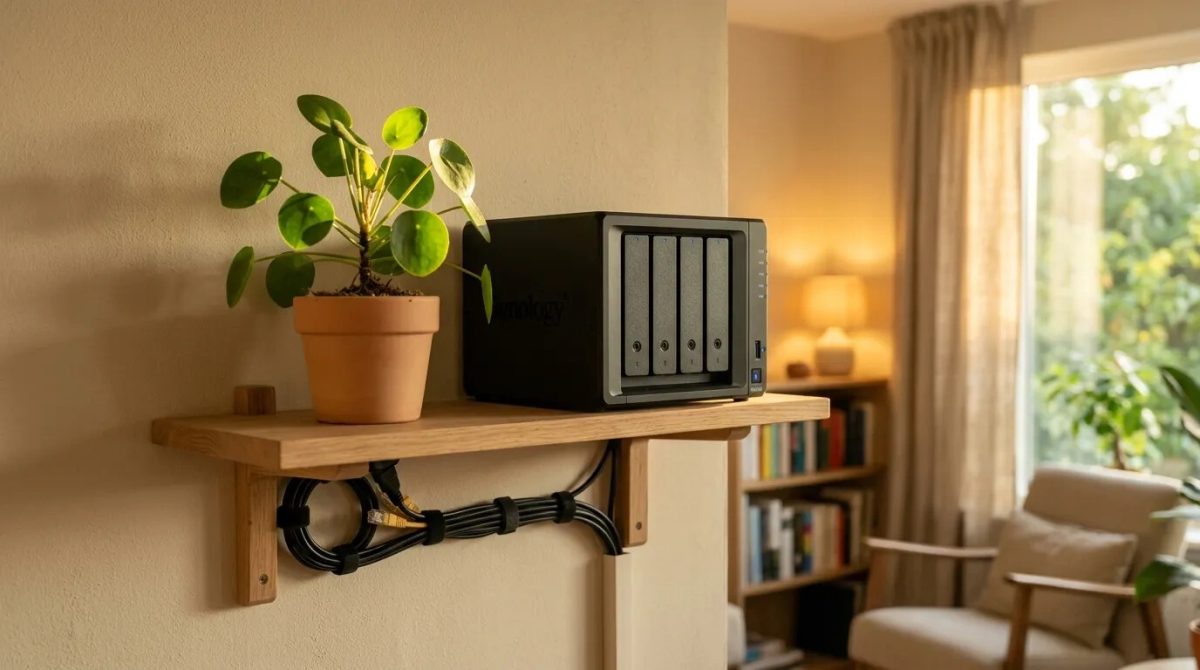
OpenClaw runs on ArchLinux installed on a Synology NAS. Orchestration, skills, memory management, TTS—all on a box that draws maybe 20W sitting on a shelf.
(Yes, people are buying Mac Minis for this. Linux works fine.)
The practical requirement is 5GB RAM. That’s comfortable; below that you start making compromises. The advantage over a VPS: the hardware is physically here, I control it, and it doesn’t disappear if a cloud provider decides to change their terms or boot my account. Supposed downside: local power and network failures. In practice, I have solar panels, batteries, and Starlink as backup, so that scenario stays theoretical.
Future plan: pair the assistant with MeshCore for off-grid messaging. The catch is that MeshCore messages are limited to 150 bytes, so Victoria would need to be considerably more concise. I would too, which, honestly, is a stretch for me.
One addition I made recently: a shared folder through Proton Drive, mounted via rclone. Victoria can read and write to a dedicated directory that syncs to my Proton account. Files she creates—drafts, research docs, exports—show up on my side automatically. No manual transfers. It’s the low-friction version of a shared filesystem between a human and an assistant.
The assistant also has their own ProtonMail account, so it can send me and my friends end to end encrypted emails. It uses a local running protonmail bridge.
Unexpected capabilities
Victoria isn’t a stateless API wrapper you poke from a terminal. She manages her own environment.
When I needed kitten-tts running, she set it up herself: created a Python virtual environment, installed the package, tracked down and patched a phonemizer compatibility issue, tested it, and wrote a wrapper script. When something breaks, she checks logs, reads configuration, and tries fixes. She maintains memory files between sessions so context persists. She can tell when a tool is missing and go find it.
An assistant that can diagnose and fix its own environment is genuinely different from one that stops working the moment something changes and waits for a human to sort it out.
Memory search: semantic, local, via Ollama
OpenClaw maintains memory across sessions through Markdown files—daily logs, long-term notes, project context. Finding relevant context in those files requires embeddings: vector representations of text that let you search by meaning rather than just keywords.
The default is OpenAI’s embedding API. That means an external call for every memory lookup—another dependency, another API key, another thing that breaks when you’re offline or on a fallback model.
The same Mac Mini running Whisper also runs Ollama. I pointed OpenClaw at its embedding endpoint and pulled nomic-embed-text—a model that produces 768-dimensional vectors and runs locally without a GPU. Memory search now happens entirely on hardware I control. It works on the cheap fallback models, it works offline, and it doesn’t add to the Venice budget. The Mac is doing double duty: speech-to-text on one endpoint, embeddings on another.
Inference through Venice.ai
All LLM inference goes through Venice.ai. Honest answer on privacy: I don’t know for certain whether they log queries. The claim is that queries are anonymized, though models do apply some upstream censorship. It’s not a zero-knowledge guarantee.
But that’s not why I use it. The main reasons are practical.
Venice gives me access to Claude, Grok, Gemini, and others through a single API. Running AI through consumer subscriptions like Claude Max is increasingly banned; providers are cracking down on API-style usage through subscription tiers. People end up paying a lot, settling for worse models, or getting their accounts terminated. Venice uses DIEM tokens instead: a daily inference budget that resets each day. Each DIEM token represents exactly $1. I have a fixed daily allowance, and the assistant can run against it freely within that limit.
(I think DIEM tokens are a bit overpriced right now. But the model makes sense for this use case, and I haven’t found a better alternative.)
Worth noting something Venice launched recently, even though I don’t use it yet: end-to-end encrypted inference with hardware attestation. The prompt goes directly to the model inside a hardware enclave—Venice itself never sees the plaintext. The enclave’s integrity is cryptographically verifiable, so you’re not just trusting a privacy policy. For scenarios where you want something stronger than “we anonymize your queries,” this is an interesting direction. I haven’t enabled it because it adds latency and narrows the model selection, but it’s the right kind of infrastructure to exist.
Automatic model switching
This is the part I’m most pleased with. Models are priced in USD—a DIEM token is simply $1 of daily inference budget. The premium models are sharper, but they burn through the daily budget fast.
The idea is simple: the DIEM budget resets daily, so you get a full allowance every morning. A Python script, venice-model-switcher.py, runs every ten minutes via a systemd timer, checks what percentage of the day’s budget has been consumed, and steps down the model accordingly. The top three tiers are all genuinely good models — the degradation only becomes noticeable toward the end of heavy days.
The ladder, in order of daily DIEM budget consumed:
- Claude Sonnet 4.6 — starts the day here. Best reasoning quality I’ve found for complex tasks and long context.
- Grok 4.20 beta — still excellent. Strong reasoning, fast, handles most tasks without noticeable degradation.
- Gemini 3 Flash — Surprisingly capable for the price.
- Grok 4.1 Fast — last 10% of the daily budget. Heartbeat and compaction stay here permanently. Quick, cheap, fine for simple queries.
Heartbeats and context compaction always stay on Grok 4.1 Fast. Those are high-frequency, low-complexity operations; running a premium model for them would be wasteful. Context is capped at 250k tokens, which matches the cheaper models’ practical limits and keeps costs in check.
The result: good responses in the morning when the budget is fresh, then gradual degradation through the day as it depletes. On most days I don’t notice the transition. On heavier days the later responses are a bit faster and occasionally less nuanced, but still useful. The daily runway is much longer than running premium all day, because the cheaper models cost dramatically less per token.
I’m gonna check the end to end encrypted models on Venice, try Kimi on Ollama cloud (free tier) when I run out of tokens or Venice is down, and final fallback to one of the smaller Qwen3.5 on Mac Mini when all is gone.
Conclusion
What I have is an AI assistant that doesn’t require a phone number, doesn’t send audio to the cloud, speaks back through a 25MB model running on a NAS, and manages its own tools and environment. The infrastructure is mine, the data stays local where it can, and a small script stretches the daily inference budget automatically.
It’s not for everyone. But if you’ve read this far, it’s probably for you.