
Why I went looking for free models
Ollama Cloud has stopped offering free models altogether. I wanted a fallback for my Hermes agent that needs no subscription, something to sit behind my primary provider. I also have a local model on the Mac Mini, but it is slow enough that I only use it when I have no other choice.
So I tried FreeLLMAPI. It is an open-source proxy that knows which free models exist on which providers, what they are called there and what their rate limits are. You sign up for the free tiers, give it the keys, and it exposes one OpenAI-compatible endpoint. When a model hits a limit or errors out, it moves on to the next one. I set it up for Hermes and for OpenCode.
Token poverty
Then a different question came up. If AI is a lever, what about people who have no money at all, maybe not even a credit card? Free chat is easy to find. But a chat window is not the same as an agent that reads files, runs builds and works for hours. Could someone with nothing to spend build an actual app?
I decided to find out, and I picked a real task.
The test: replacing QR Encoder
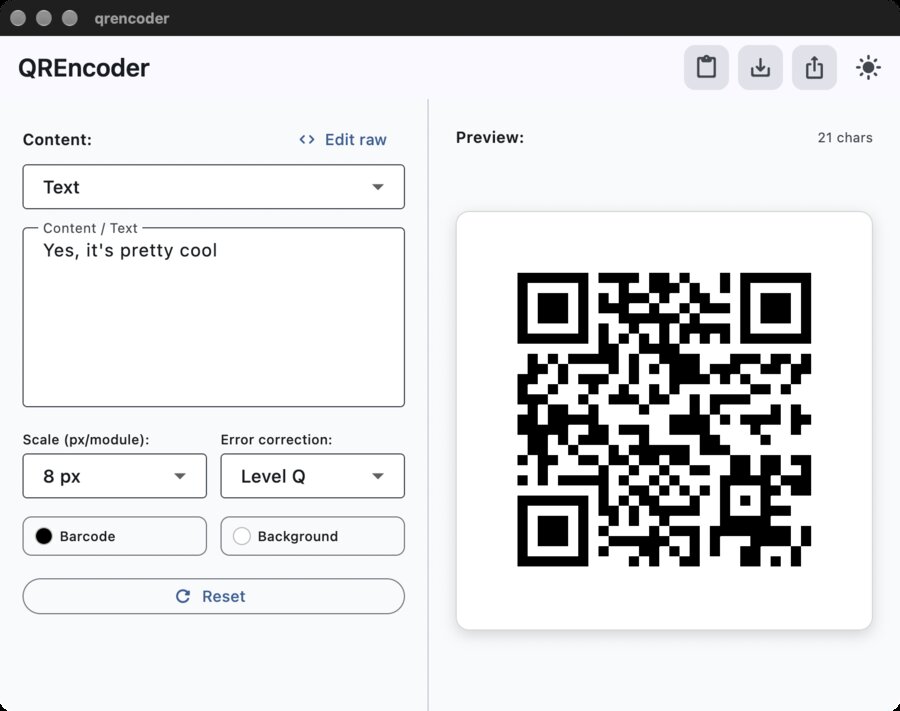
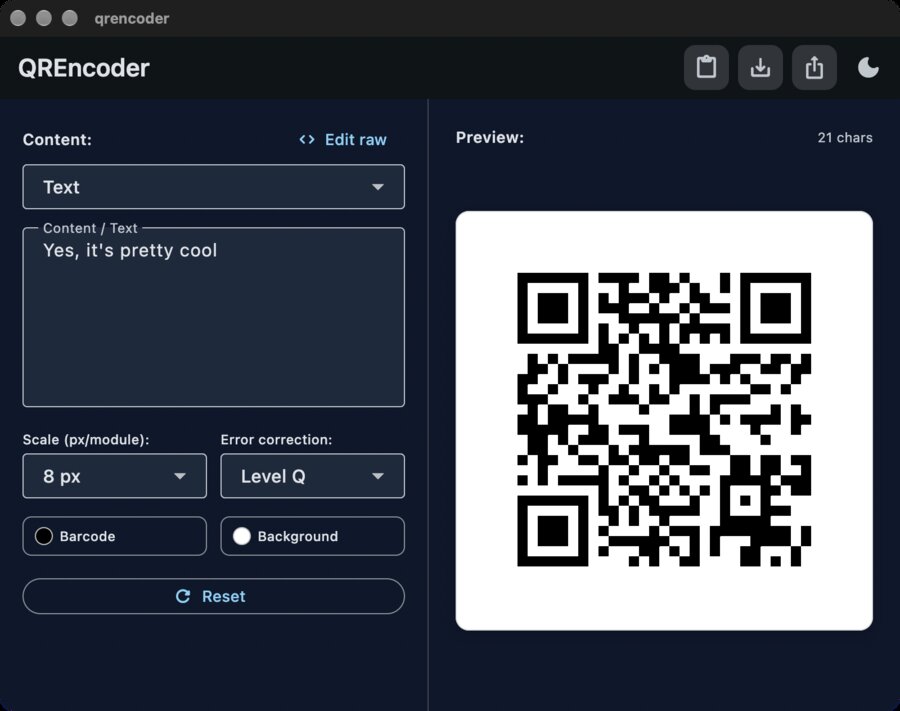
For years I used a small Mac app called QR Encoder. It is keyboard driven and the fastest way I know to turn some text into a QR code. It is no longer maintained, and the build I have is for Intel Macs.
I took a few screenshots of the old app and gave OpenCode v2 the job of building a replacement with a few changes. I also asked it to use the Impeccable skill for the design, which did not work very well with the free models (but otherwise I love it). The rule was simple: no paid model anywhere in the loop.
How it went
It took a long time. The git history runs from the first scaffold commit at 20:44 to the last attempt at clipboard fix at 02:05, a bit over five hours, and a lot of that was waiting.
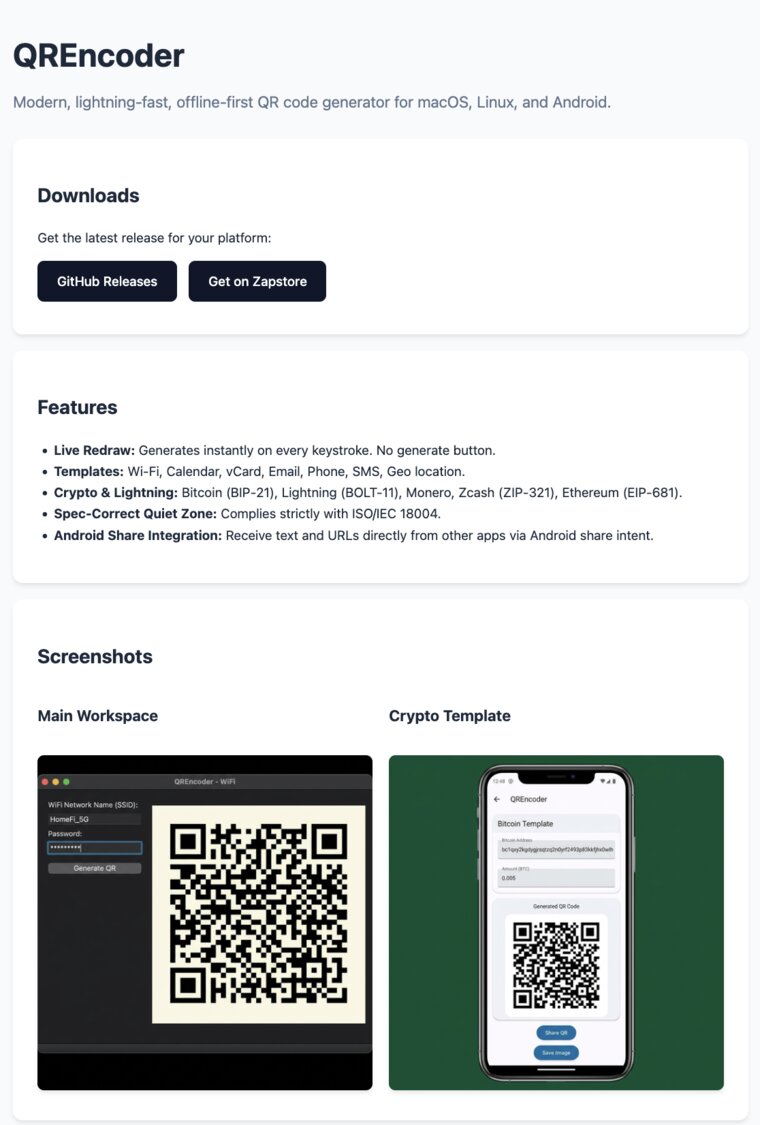
At the end the app opened and mostly worked, which surprised me. Copy to clipboard and save as PNG did not work. The two last commits are both called “Fix: Save as PNG shows native dialog, copy image copies QR to clipboard”, which tells you how the last hour went. The icon was generated but not set until I asked a few times. The models also produced a website for the project:
The app lives at github.com/jooray/qrencoder (under a freellmapis branch you can see this old code, but don’t even look).
I posted my first impressions on Nostr while it was still fresh. They were:
- Free models are slow. With
auto:smartI waited a lot. - The models change all the time. Forget caching. The whole project was probably written by three to five different models taking turns. That may not be a bad idea when none of them is a frontier model.
- The gap to frontier is huge, even to something cheap like DeepSeek 4.1 Flash. I had almost forgotten how much babysitting weak models need. Not even
/goalhelps. - Even so, the app opened and mostly worked.
Which models did the work, and what broke
FreeLLMAPI logs every attempt. For the window of the build, 20:44 to 02:10, the log shows 666 attempts. 549 produced an answer and 117 failed. Eighteen different models from five providers answered. The log does not say which model wrote which file, so I cannot tell you who is to blame for the clipboard.
These charts show every attempt over time. A circle is a success, an x is a failure, and the colour is the provider. The first one shows the providers, the other two split the models into the ones that answered and the ones that failed.
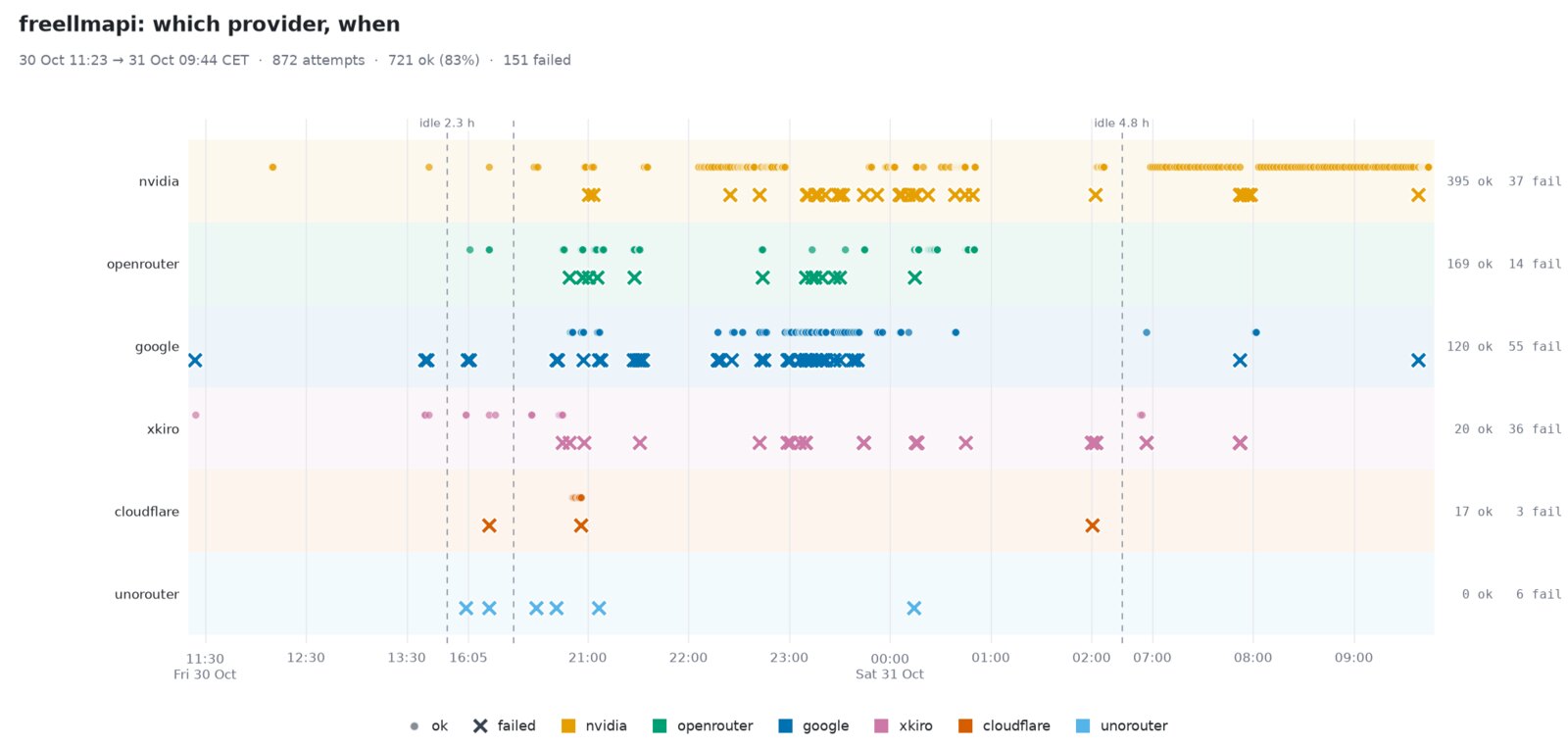
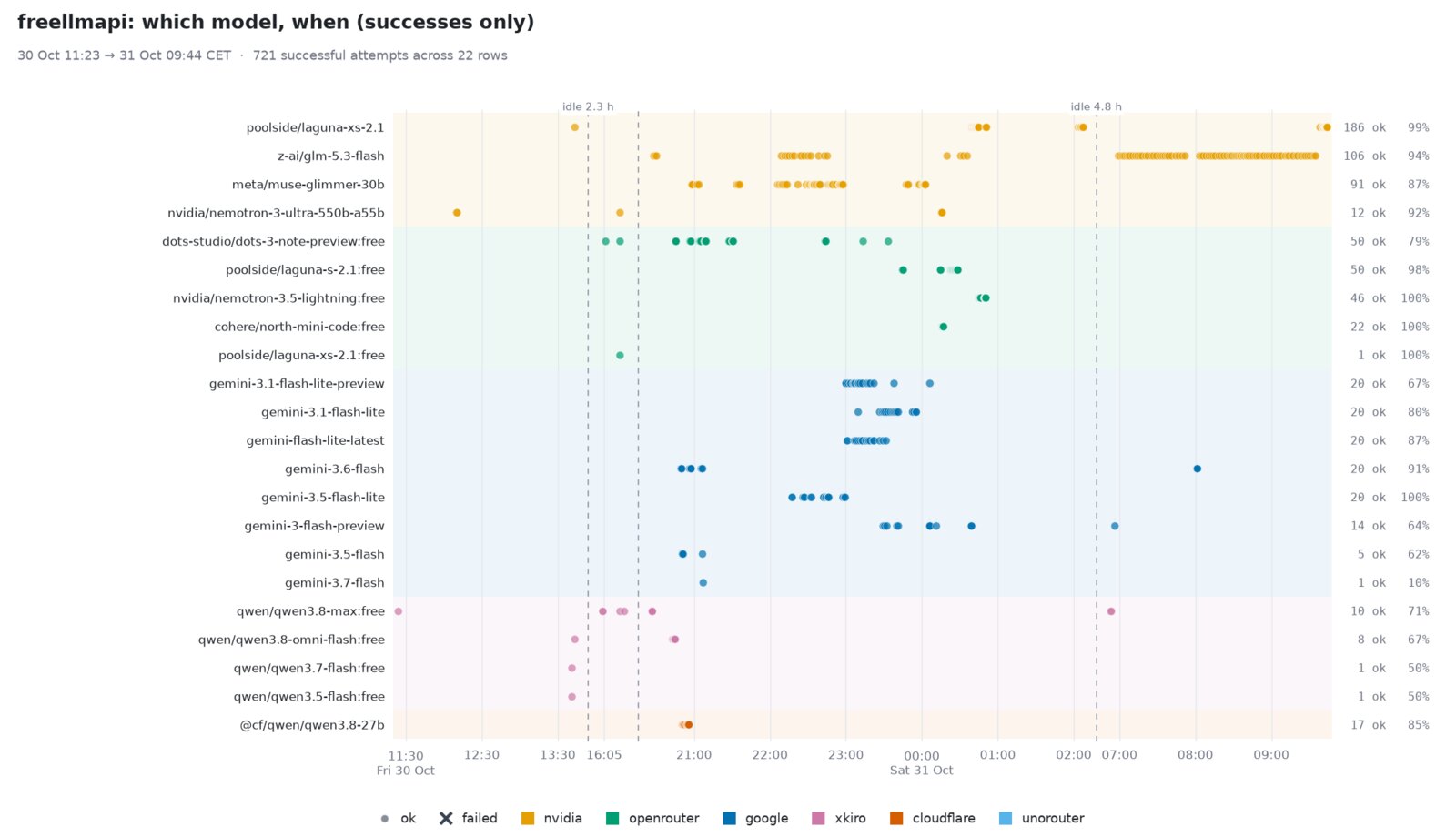
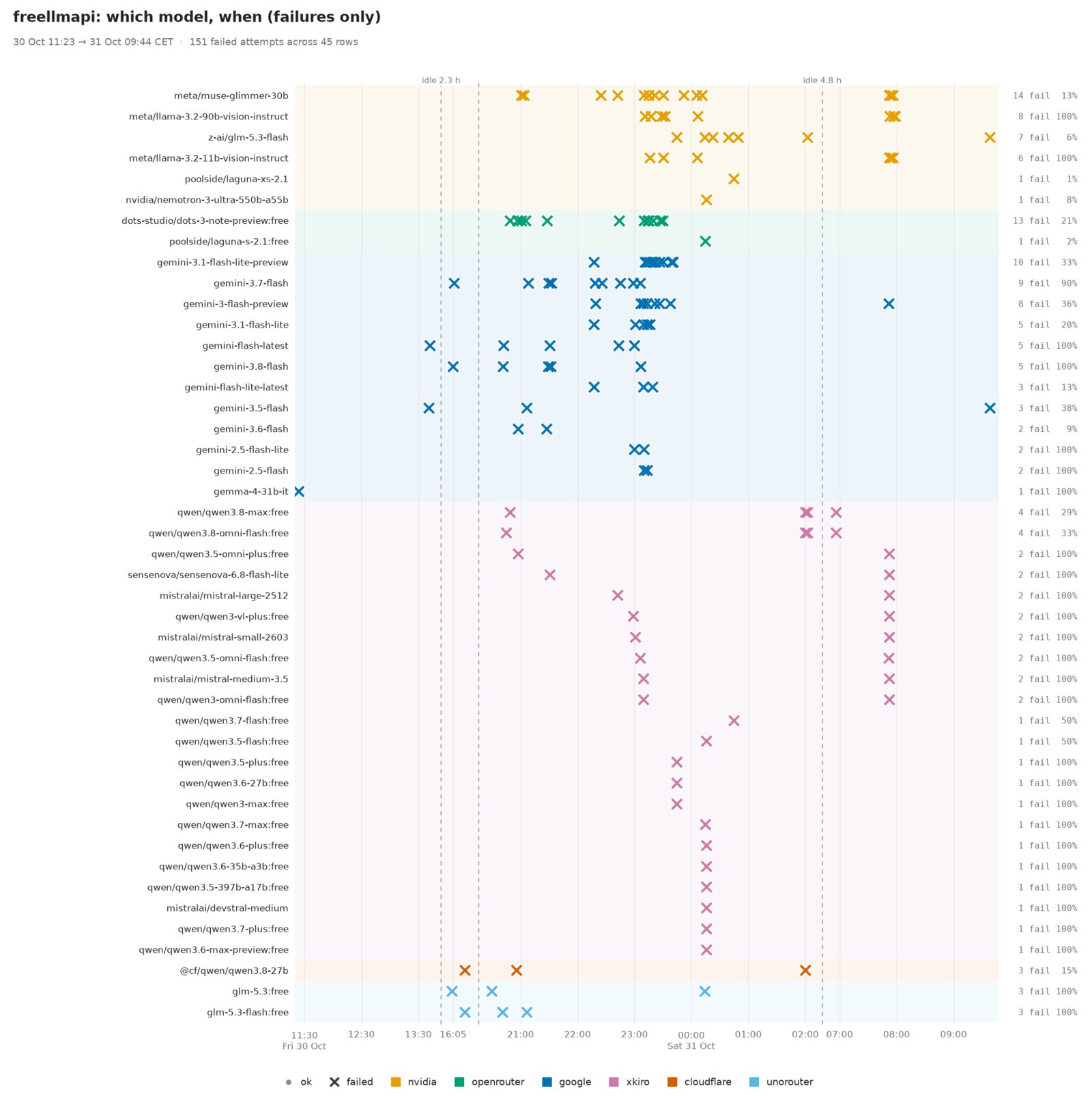
Speed varies wildly. poolside’s laguna-xs-2.1 (served through NVIDIA) answered 133 times with a median of 1.9 seconds. Meta’s muse-glimmer-30b answered 91 times at a median of 21 seconds. glm-5.3-flash regularly took more than a minute, and the slowest call in the window took six minutes. The overall median was a pleasant five seconds, but the 90th percentile was 45. An agent makes dozens of calls per task, so the slow ones decide how the evening feels.
One model failed more than any other: dots-3 note preview, with 13 failures against 48 answers. Fifteen failures overall were empty completions, where the stream ends with no text and no tool call at all. The agent sees a blank answer and has to try again.
Some failures were the catalog being out of date. Google answered 404 for Gemini 2.5 models that the catalog still listed, and NVIDIA answered 404 for a function id it no longer had. Each of those costs a failed attempt, and a failed attempt can cost a minute.
Adding a screenshot to the conversation changes the pool. A request with an image can only go to models with vision, and the error text from one of my sessions shows how small that makes things: 105 routes checked, 69 of them without vision, 10 without tool calling. What is left is a short list. The NVIDIA llama-3.2 vision models took those requests and failed with 400 Bad Request every time they were picked.
Across the window the failures were mostly quota: 46 of 117 were 429 responses, 25 were timeouts, 15 were empty completions and 10 were overloaded providers, and the rest were 404s and 400s. Added up, the failed attempts cost about an hour and twenty minutes of waiting.
The context problem
Every turn of an agent sends the whole conversation again. The median request in the window carried about 98,000 tokens. Of the 549 answered requests, 268 were above 100,000 and the largest was 153,000.
I had told OpenCode that these models have a 262,144 token window, because a few of them do. Many of the free ones have 128k or 131k. OpenCode only compacts the conversation when it thinks it is running out, so it waited too long, and the router sent a 150k conversation to a 131k model. That is the likely reason for the 400 errors.
The worst case is compaction itself. It is a request like any other. In the screenshot below it failed with “All models exhausted”, I typed “continue, wake up subagents” and hoped for a better draw, and the next request went to a llama-3.2 vision model and came back as a 400.
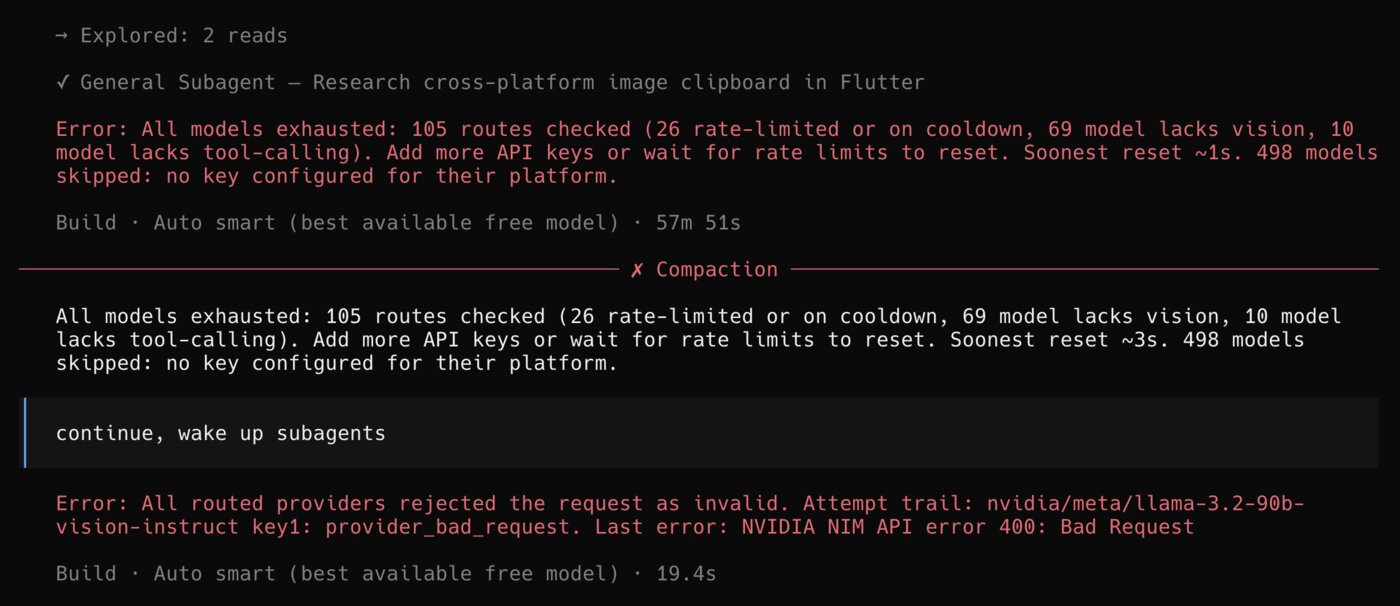
After this I lowered the context OpenCode assumes for all the FreeLLMAPI models to 110,000 tokens, so it compacts around 100k, below the smallest windows that show up in regular rotation. If the router picks a model that can take the conversation, compaction works. It is still luck, because the router does not look at the window size when it chooses.
The limits of the free tier
Every free tier has a ceiling, and none of them is made for a model that reads 100k tokens a turn all night. One provider told me “You’ve reached today’s free-model token quota”. Google answered with quota errors and with “high demand” 503s. The router keeps a cooldown for each key, and in the screenshot above it had checked 105 routes, of which 26 were rate limited or cooling down.
This is what FreeLLMAPI is good at. Without it I would have stopped at the first limit. With it the work kept going, slowly, by moving to whichever model had room. But the list of models that have room changes from hour to hour, so you cannot rely on any particular one, and you cannot rely on a prompt cache either, because the next turn will probably go to a different model.
Part two: the same app with a model that costs almost nothing
FreeLLMAPI only lists models that need no credit card, and that is the whole point of the experiment. There is another route that is a lot better, and it does need a card. OpenCode Zen sometimes offers free models, and so does OpenRouter. Both run free promotions on new models, and sometimes they are just testing new models under secretive code names. These models are often not as fast as paid ones, but they are nowhere near the slow tier, and you may find that none is free when you look.
When I tried this, DeepSeek 4.1 Flash was marked free on OpenCode Zen, so I ran the QR Encoder job again with it.
It was not as fast as a paid model, but it was nowhere near the crawl of the free pool. One model did the whole job, so I did not have to wonder who wrote what.
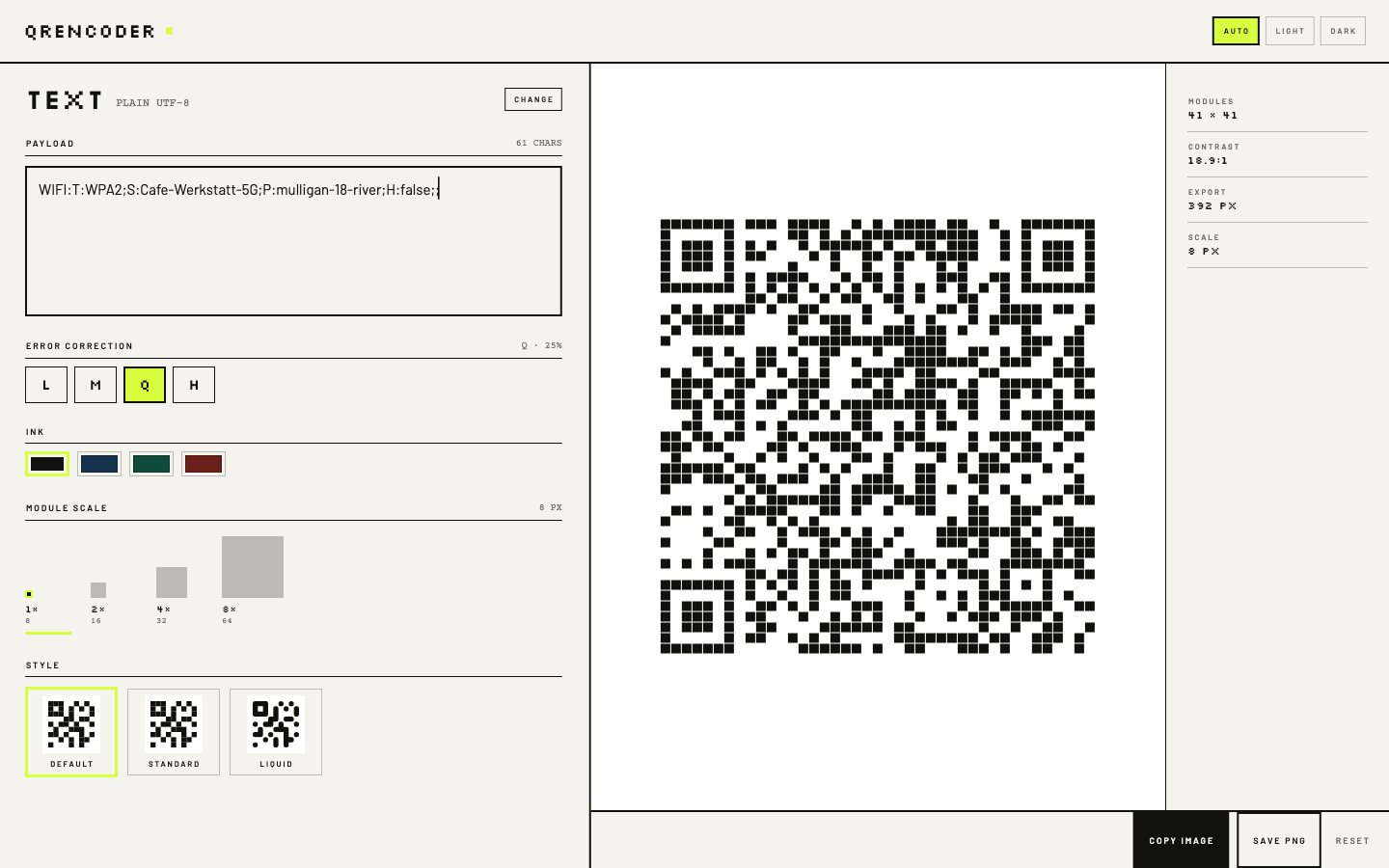
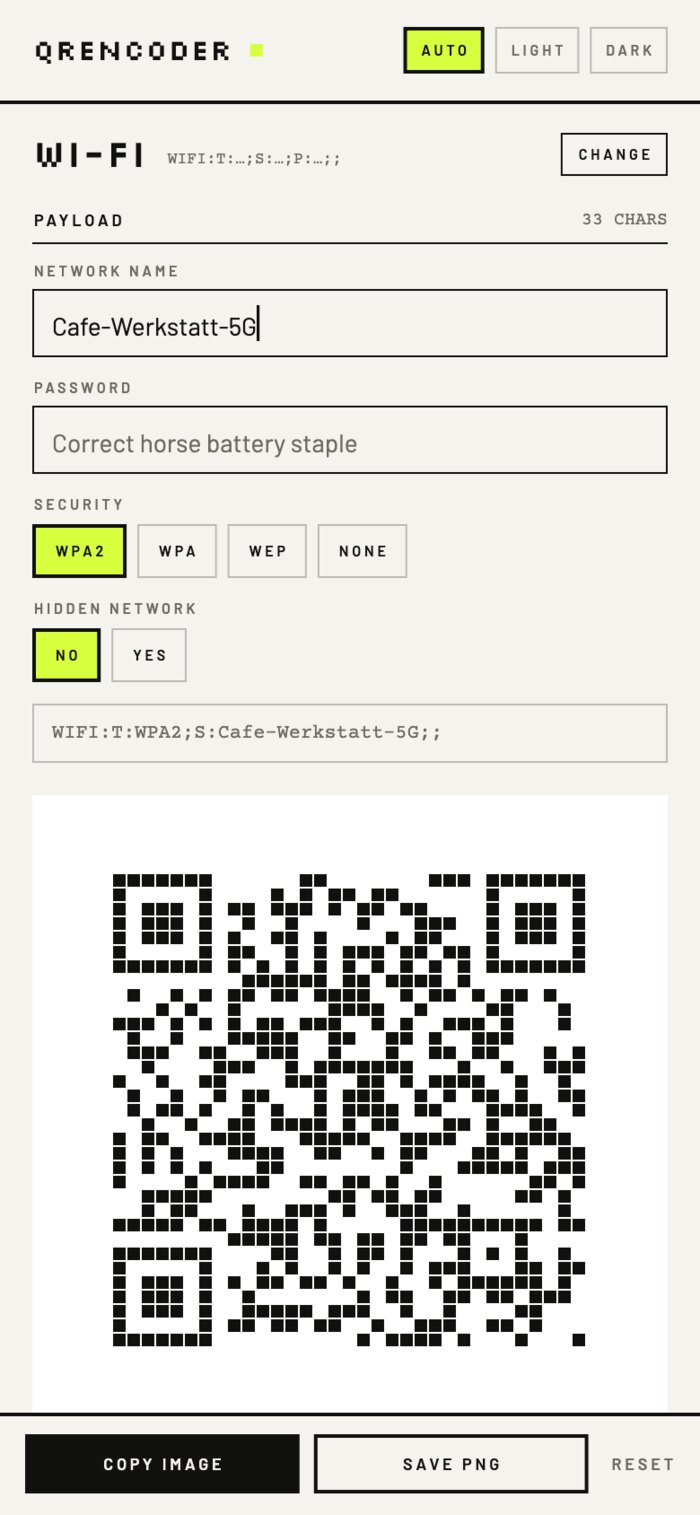
Everything works. Copy to clipboard and save as PNG, the two things the free pool never got right, work, and so does the rest. The result is QREncoder 1.1.0, and its page is at jooray.github.io/qrencoder. The page has a real design idea too: every QR module is a whole pixel, drawn in a pixel font, black with a lime accent.
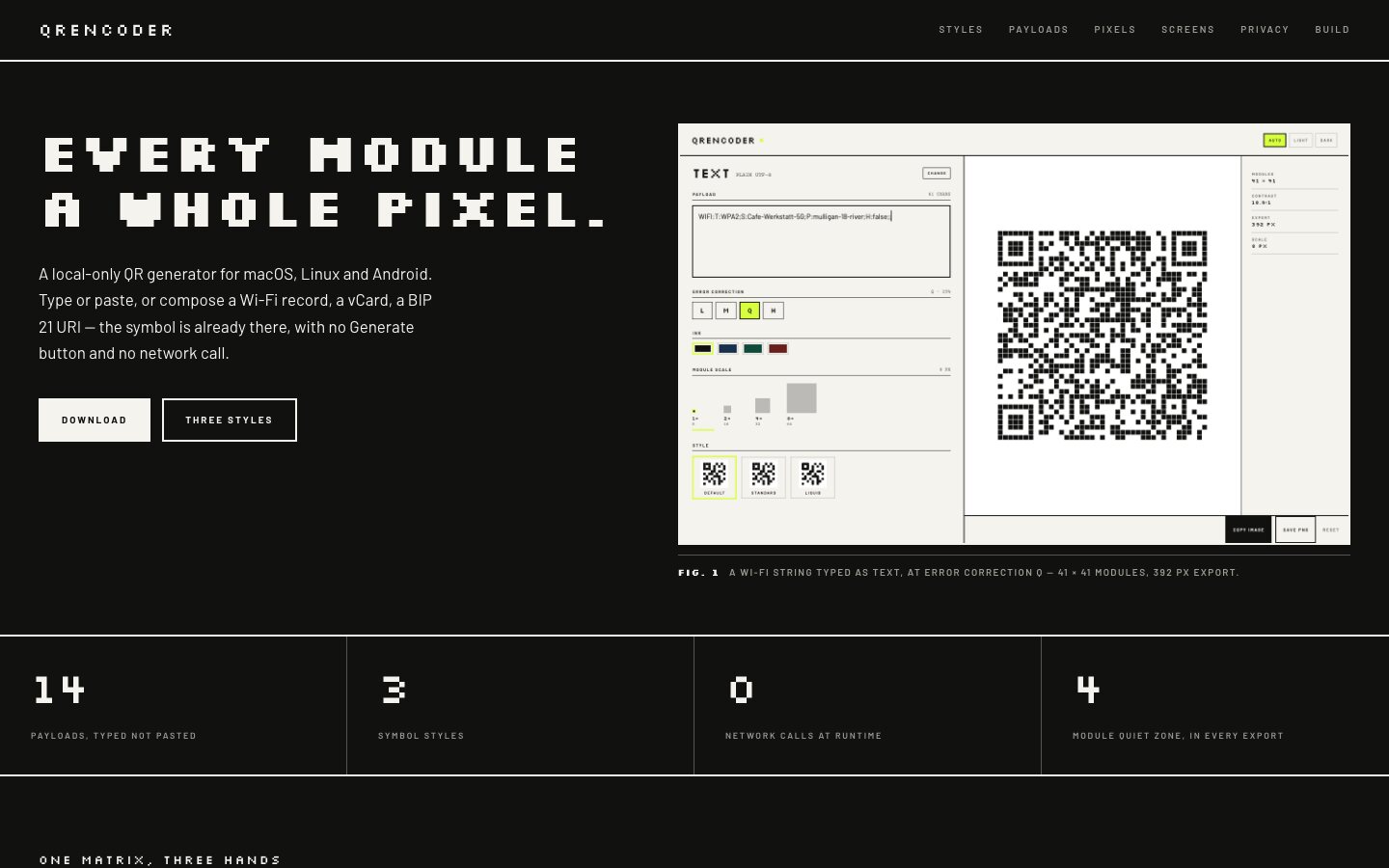
The app has fourteen payload types (Wi-Fi, vCard, Bitcoin, Lightning, Monero, Zcash, Ethereum and more) that are composed from typed fields, three symbol styles, and exports at whole-pixel module sizes with the four-module quiet zone the QR standard asks for. It makes no network calls at all. It runs on macOS and Android, and on Linux if you build it yourself.
You can download it from the GitHub releases or install the Android version from Zapstore.
What I take from this
Using only free resources is possible. I ended up with an app that opens and mostly works, built with no money and no credit card, and that counts for something. Someone who cannot pay for anything can get work out of these models, if they are patient and willing to babysit.
But the distance between the free pool and even a cheap flash model from the current frontier is huge. OpenCode v2 recently added /goal, which keeps the agent going until a condition is met. I had already stopped using it in Claude Code even before it was implemented in OpenCode v2. With DeepSeek 4.1 Flash 1017, which I use a lot and which is very cheap, or with Sonnet or Opus, I do not need it, because the models reach the goal on their own. With the older models in the free pool it did not rescue anything. You spend the evening steering instead.
We got used to the new frontier fast. Models that are six months old already feel like the stone age, and the free pool is mostly made of those and weaker. It is a strange feeling to be impatient with technology that would have looked like magic two years ago.
I would not tell everyone to use free models. AI for coding, website design and similar work is enormous leverage, and the cheap paid models are the real answer to token poverty. A few dollars gets you the amazing part. Building QR Encoder on DeepSeek v4.1 Flash 1017 would cost under a dollar (if I did not use the free tier).
Free shows you that the door is not completely closed.